PDF Batch Signer
Upload drawings, design one signature, place it once, and export a ZIP of signed PDFs without leaving the browser.
Open utility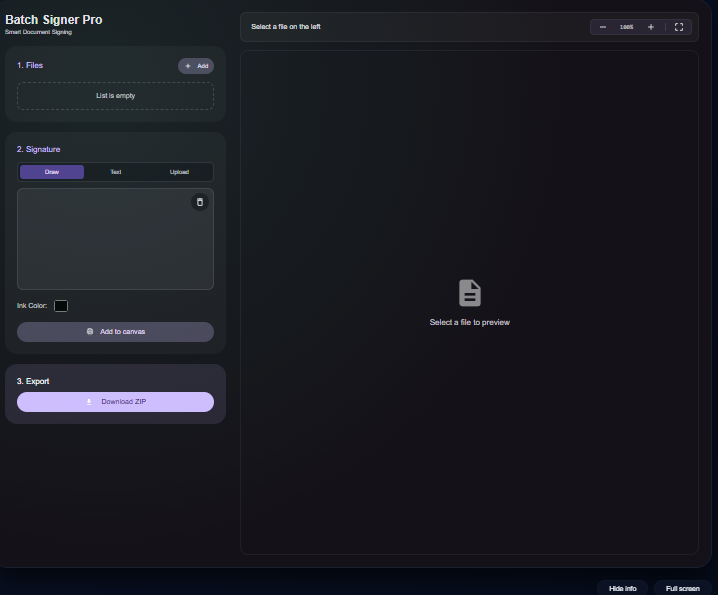
What it does
Create a reusable signature by drawing, typing, or uploading a scan, place it on a live preview, and apply it across every page in your PDF stack. Optional Gemini analysis can read title blocks when you provide your own API key; otherwise everything stays local.
When to use it (and when not to)
Use it when:
- You need to stamp multiple drawings or reports in one pass without a cloud service.
- You want a consistent placement for every page in a package.
- You need a quick ZIP of signed PDFs to send to vendors or QA.
Avoid it when:
- You require cryptographic or certificate-based signatures.
- Your pages use widely different sizes that need unique placements per page.
Inputs and outputs
Inputs
| Input | Description |
|---|---|
| PDF stack | One or more PDFs to stamp in a single run. |
| Signature source | Draw, type, or upload a signature image to reuse. |
| Placement and scale | Position and size the signature on the preview before applying. |
| Optional Gemini API key | If you want title block extraction; otherwise everything stays offline. |
Outputs
| Output | Format | Notes |
|---|---|---|
| Signed PDFs | ZIP | All input files stamped with the same placement. |
| Preview confirmation | On-screen | Visual check of the applied signature. |
How to use
- Load the PDFs you need to sign.
- Create or upload a signature and set its placement and size.
- Optionally add a Gemini API key if you want title block metadata extraction.
- Apply the signature across all pages.
- Download the ZIP of signed PDFs.
Example dataset: Upload ten drawing PDFs, draw a signature, place it 20 mm from the bottom-right corner, leave Gemini off, and export the ZIP.
- Expected output: Downloads a ZIP containing all drawings with the same visible signature placement on every page.
Accuracy and verification
- Applies a graphic stamp, not a digital certificate; verify acceptance for regulated documents.
- Mixed page sizes may need a quick visual check after signing.
- Optional Gemini extraction uses your key client-side; leave it empty to keep everything offline.
- Retain originals if you need an audit trail; the tool overwrites only the downloaded copies.
FAQ
- Is this a digital certificate? No. It is a graphic signature applied locally.
- Will my files upload anywhere? No. Signing runs with pdf-lib and JSZip in your browser.
- Can I handle mixed page sizes? Yes, but confirm placement on a sample page before exporting the full set.
- How do I change the stamp later? Load the files again, adjust the signature, and re-export.
- What about timestamps? Add date text inside your signature image or re-run with an updated label.
Related tools
Changelog
- Initial documentation.
Feedback / bug report
- Open a GitHub issue
- Email or DM with the slug
pdf-batch-signerso we can reproduce the issue