WebDXF Editor
Trim geometry, annotate lengths, and resave DXF files directly in the browser for quick QA or macro testing.
Open utility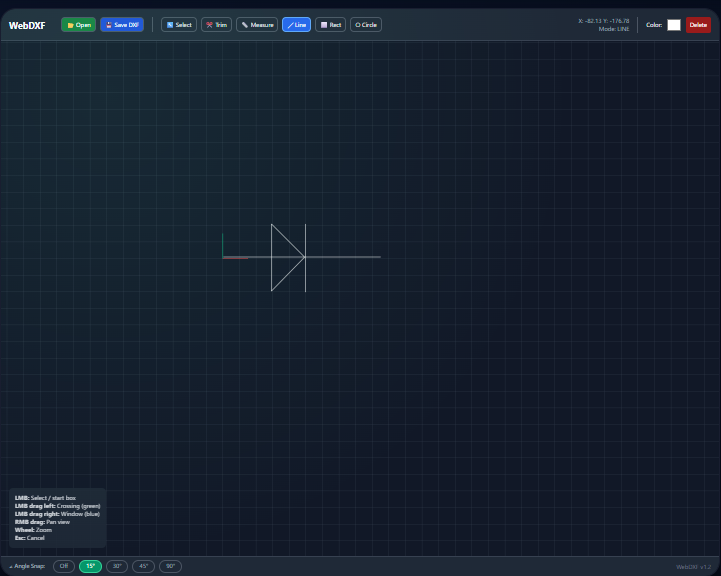
What it does
Open DXF files in the browser, trim or measure entities, and save changes back to DXF without round-tripping through heavy CAD. Ideal for quick QA, macro testing, or touch-ups before sending geometry downstream.
When to use it (and when not to)
Use it when:
- You need to trim stray lines or add quick measurements without launching desktop CAD.
- You are testing CAD macros and want to verify DXF output.
- You want an offline DXF sanity check before sharing with vendors.
Avoid it when:
- You need 3D modeling, constraints, or advanced drafting features.
- Your file is extremely large or hatch-heavy and would benefit from a full CAD workstation.
Inputs and outputs
Inputs
| Input | Description |
|---|---|
| DXF file | Upload the drawing you want to inspect or edit. |
| Layer visibility or colors | Toggle layers to focus on critical geometry. |
| Selection and snap mode | Pick how you select and measure lines. |
| Units reference | Use the source DXF units or your own reference scale. |
Outputs
| Output | Format | Notes |
|---|---|---|
| Edited DXF | DXF | Save the updated geometry locally. |
| Measurement readouts | On-screen | Lengths and distances for quick QA. |
How to use
- Load your DXF file into the editor.
- Toggle layers or snaps to isolate the geometry you need.
- Trim, annotate, or measure as required.
- Review the drawing on-screen for accuracy.
- Download the updated DXF.
Example dataset: Open flange.dxf, trim stray construction lines, measure the bolt circle, and save the cleaned DXF.
- Expected output: Returns a cleaned DXF plus on-screen measurements you can reference in QA notes.
Accuracy and verification
- Designed for DXF workflows; keep a backup of the original before overwriting.
- Large files may feel slower in-browser than on a workstation.
- Units follow the source DXF; verify scale if you import from mixed-unit sources.
- All edits stay local; export to keep your changes.
FAQ
- Which DXF versions are supported? Works with common R12+ DXF geometry.
- Does it support blocks and hatches? Simple blocks work; heavy hatches may be slower and should be checked after export.
- Are edits stored online? No. Files never leave your browser.
- Can I change units? Use the scale reference in your DXF; the tool respects the source geometry.
- Will it keep layer names? Layer data is preserved when you resave.
Related tools
Changelog
- Initial documentation.
Feedback / bug report
- Open a GitHub issue
- Email or DM with the slug
dxf-editorso we can reproduce the issue