WIKA CPG1500 Log Analyzer
Parse log files from WIKA CPG1500 digital pressure calibrators, inspect device metadata, visualize measurement curves, and generate print-ready QC reports — all locally in the browser.
Open utility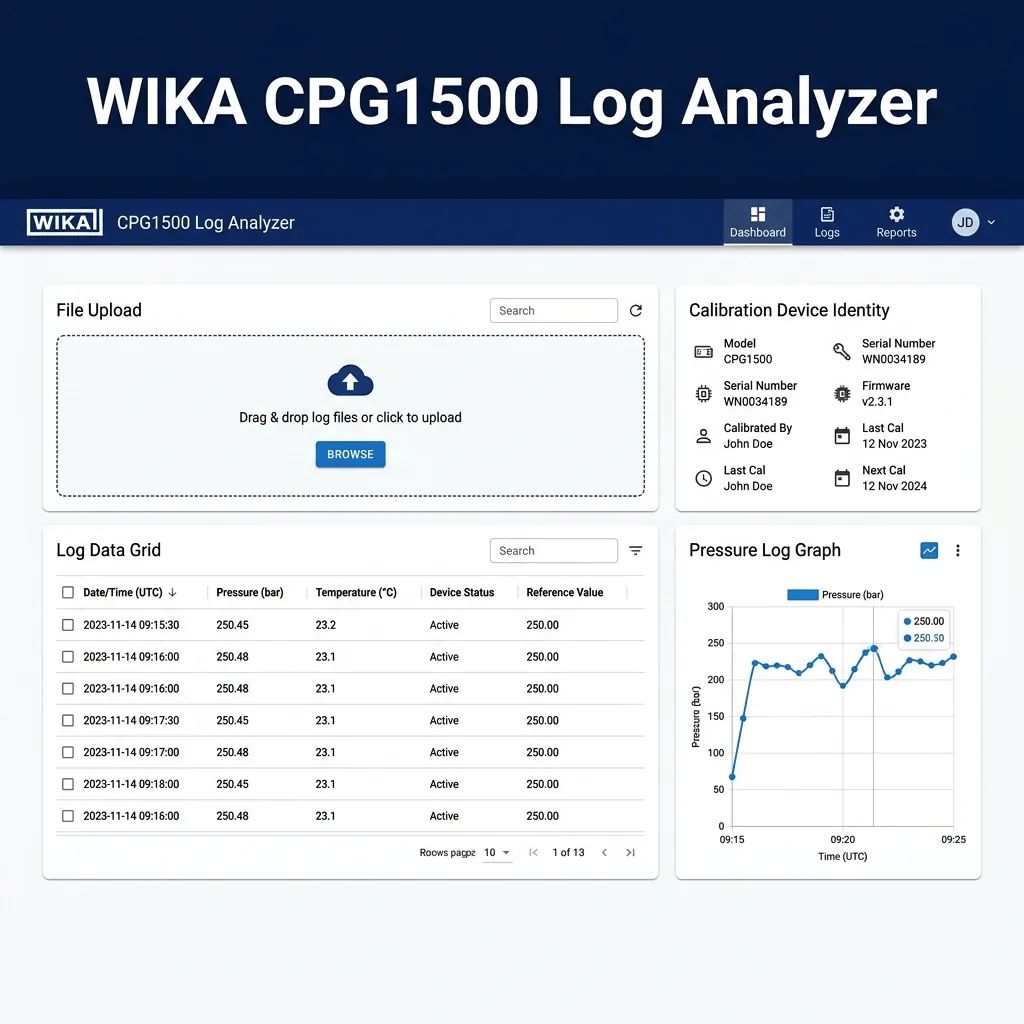
What it does
Drop a log file exported from a WIKA CPG1500 digital pressure calibrator and instantly get:
- Device identity card — serial number, model, firmware version, calibration dates, and operator metadata parsed from the file header.
- Measurement data grid — a searchable, sortable table of every timestamped pressure/temperature reading in the log.
- Pressure chart — an interactive line graph of the recorded pressure curve over time.
- Print-ready QC report — a multi-page, print-optimized layout (A4 portrait for tables, A4 landscape for charts) you can send directly to a printer or save as PDF.
Everything runs client-side with React and Material UI. No data leaves the browser.
When to use it (and when not to)
Use it when:
- You need to review WIKA CPG1500 calibration logs on any machine with a browser.
- You want a quick visual check of the pressure curve before filing the certificate.
- You need to print or PDF a formatted QC report to attach to a job traveller or inspection pack.
- You want to search or sort measurement readings without importing the raw file into Excel.
Avoid it when:
- Your log files come from a different calibrator model (the parser is CPG1500-specific).
- You need batch processing of dozens of logs at once (upload one file at a time).
Inputs and outputs
Inputs
| Input | Description |
|---|---|
| Log file | A .log or .txt file exported from a WIKA CPG1500 calibrator. |
Outputs
| Output | Format | Notes |
|---|---|---|
| Device identity | On-screen card | Serial, model, firmware, calibration dates, operator. |
| Measurement table | On-screen grid | Timestamped pressure and temperature readings with search. |
| Pressure chart | Interactive chart | Line graph of pressure vs. time. |
| QC report | Print / PDF | A4-optimized multi-page report via browser print dialog. |
How to use
- Open the utility and click the upload area or drag-and-drop a CPG1500 log file.
- Review the device identity card — confirm serial number, model, and calibration dates are correct.
- Browse the measurement grid — use the search box to filter rows, or click column headers to sort.
- Inspect the pressure chart — hover data points for exact values; zoom or pan if available.
- Print the report — click the browser print button (
Ctrl+P/Cmd+P). The layout automatically switches to an A4-optimized report with page breaks for the identity card, data table, and chart.
Example workflow
Upload a log file from a recent pressure test → verify the device serial matches the calibration certificate → review the pressure curve for anomalies → print the formatted report and staple it to the job traveller.
Report print layout
The print stylesheet produces a clean, multi-page QC report:
| Page | Content | Orientation |
|---|---|---|
| 1 | Device identity + compact measurement summary | Portrait (A4) |
| 2+ | Full measurement data table | Portrait (A4) |
| Chart page | Pressure chart with legend | Landscape (A4) |
Use "Save as PDF" in your browser's print dialog to archive the report digitally alongside your calibration certificates.
Accuracy and privacy
- Parsed data only — the utility does not modify the original log file; it reads and displays the values as-is.
- Zero uploads — all parsing happens in the browser via client-side JavaScript. No data is transmitted to any server.
- Session-only — close the tab and all parsed data is gone. Save/print your report before closing.
- Verify against source — always cross-check critical values (serial number, test pressure) against the original log file and calibration certificate.
FAQ
- Which log file formats are supported? Log files exported from WIKA CPG1500 digital pressure calibrators (
.log/.txt). - Is my data uploaded to a server? No. Everything stays in the browser.
- Can I print or save the report? Yes. Use
Ctrl+P/Cmd+Pto print or save as PDF. The layout is optimized for A4 paper. - Does it work offline? Yes, once the page is loaded it requires no internet connection.
- Can I analyze multiple files at once? Upload one file at a time; reload or clear to analyze a different log.
- What if my log file doesn't parse? The parser is specific to the CPG1500 format. Files from other instruments may not be recognized. Open a GitHub issue if you believe your CPG1500 file should work but doesn't.
Related tools
- PDF BOM Extractor — Pull BOM tables from CAD PDFs into CSV.
- PDF Number Extractor — Highlight QA serials and inspection numbers from PDFs.
- Blind Flange Calculator — EN 13445-3 blind flange sizing.
Feedback / bug report
- Open a GitHub issue
- Email or DM with the slug
wikalog-analyzerso we can reproduce any issues.