Focus Planner
A premium local-first productivity workspace designed for deep work, task management, and gamified focus tracking—all within your browser.
Open utility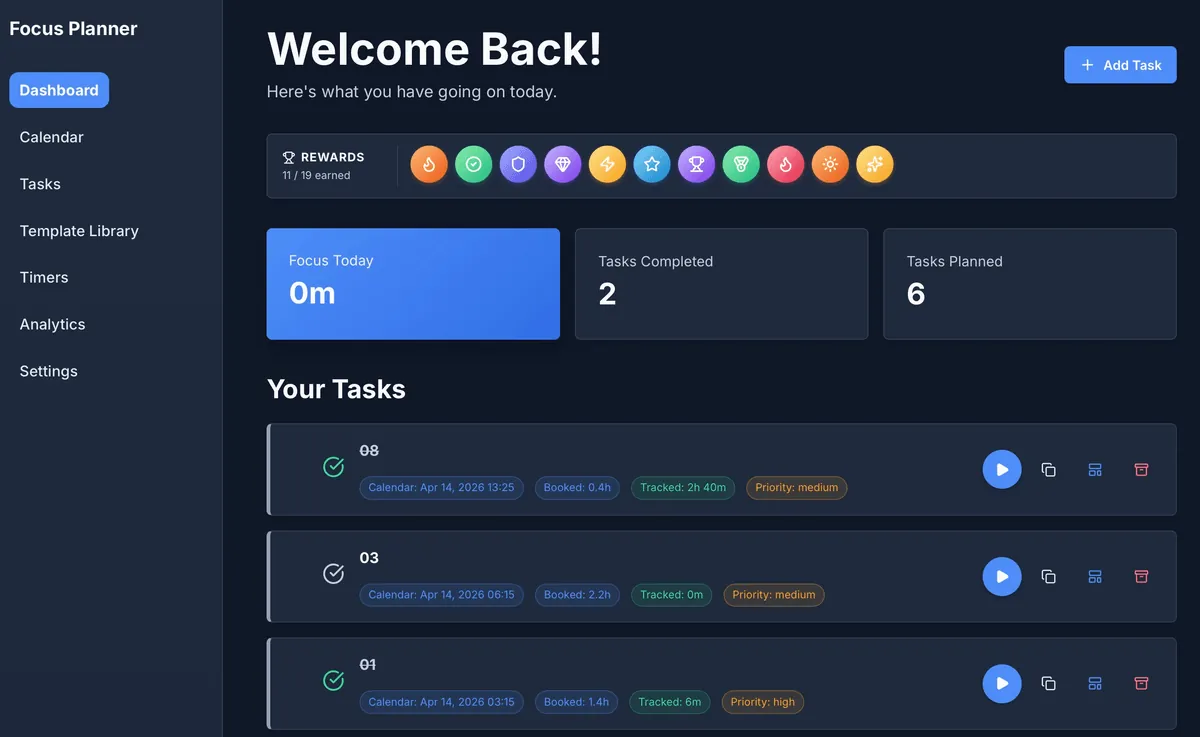
Premium Productivity, Local Privacy
Focus Planner isn't just another task list; it's a comprehensive workspace built on the "Local-First" philosophy. Your data never leaves your browser, ensuring total privacy while providing powerful tools normally found in cloud-based suites.
Key Capabilities
- Unified Dashboard: A clean "Welcome Back" interface showing your daily progress, earned rewards, and planned tasks at a glance.
- Gamified Success: Stay motivated with an integrated rewards system. Earn badges as you hit your focus goals and complete planned work.
- Calendar Integration: Plan your time with precision using multiple views (Day, Week, Month, Quarter). Schedule tasks directly onto your calendar.
- Integrated Timers: Start tracking time immediately from your task list. Linked timers ensure every minute of focus is attributed to the right project.
- Offline Mastery: Designed to work entirely offline. Your progress is saved locally and remains available even after browser restarts or page refreshes.
Workflow Overview
1. Plan
Define your categories and tasks in the Tasks workspace. Use the Calendar to block out time for deep work.
2. Focus
Launch the Dashboard to see your top priorities for the day. Use the integrated "Play" buttons on task cards to start focus sessions.
3. Review
Analyze your performance in the Analytics tab. Track focus distribution across categories and watch your reward collection grow.
4. Manage
Use Settings to customize the appearance, manage backups, or export your data for external use.
Inputs and Outputs
| Feature | Input | Output / Format |
|---|---|---|
| Task Management | Names, Categories, Priorities | Visual task list with status tracking |
| Scheduling | Calendar placement, Deadlines | Interactive Day/Week/Month views |
| Focus Tracking | Play/Pause actions, Manual sessions | Analytics charts & Session history (CSV) |
| Data Control | Local storage, Import JSON | Backup files (JSON), Analytics reports |
When to Use Focus Planner
- Deep Work Sessions: When you need a distraction-free environment to track high-concentration tasks.
- Privacy-First Planning: When you want a professional tool without the need for an account or cloud sync.
- Consolidated Workflow: When you want your tasks, calendar, and timers in a single, local interface.
Accuracy and Privacy
- Zero Cloud Sync: No data is sent to external servers. All information stays in your browser's IndexedDB.
- Timer Recovery: The app is engineered to resume active timers automatically after page reloads.
- Data Portability: You are in control of your data. Export your entire workspace as JSON or specific reports as CSV at any time.
FAQ
- Is my data safe? Yes, it is stored locally in your browser. However, clearing your browser's site data will delete your tasks unless you have exported a backup.
- Do I need an account? No. Just open the utility and start planning.
- Can I sync between devices? Not directly. Use the export/import JSON feature in Settings to move your workspace between machines.
Related Utilities
- Business Calendar Generator — Create printable planning templates.
- React Table Editor — Manage tabular data locally.
- Engineering Prompt Catalog — Productivity prompts for complex tasks.
Feedback / Bug Report
- Open a GitHub issue
- Email or DM with the slug
focus-plannerso we can reproduce any issues.